
Birdchick Blog
BirdFair Bound & A Collins App

Packing the essentials for British BirdFair!
I'm busy getting all the last minute laundry, packing and travel arrangements finalized as I head to BirdFair in the UK for the first time. I'm so excited because I have always wanted to go this event and I even get to do an iPhone digiscoping presentation on Saturday as well as partake in an improv game called a Question of Stork.
I'm excited to see old and new friends and to make Birds and Beers officially international by having one thanks to the aid of Drunk Birder on Friday night at 7pm at the Three Crowns! I think we will be two peas in a pod. When all the bird fun is over, I get to meet Non Birding Bill in London for some fun.
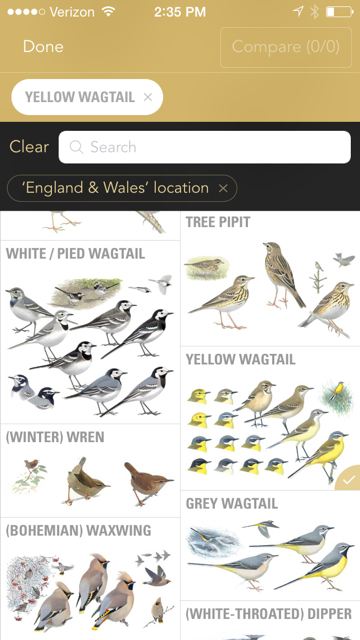
Screenshot of the new Collins Bird Guide app available for iPhones and iPads on August 14, 2015.
Also, just in time for my trip across the pond comes the Collins Bird Guide app to all of Europe, based on the best-selling Collins Bird Guide, by Lars Svensson, Killian Mullarney and Dan Zetterström, lucky me! I have to admit, I was leery because BirdFair isn't really about going on field trips, it's about looking at birding products and services. After the fair, I'm going to meet Non Birding Bill in London to visit with friends and not really do that much birding. Would this be more bird info than I would need. Should I just take a little British Guide with me instead?
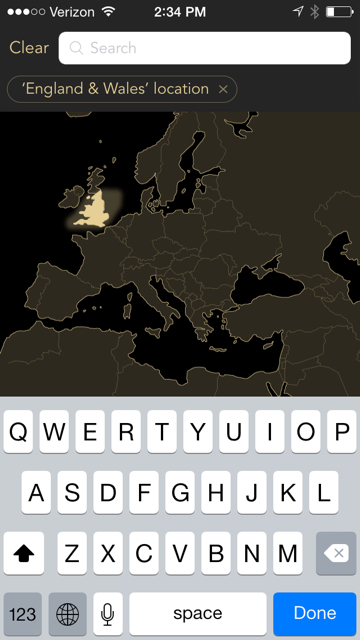
You can tailor the list of possible birds by using the map tool on the app.
But, the app lets you tailor your location and list of possible birds. If you are like me and just studying from somewhere in the states, you can tap the map of Europe of where you plan to be (and note the season) to get a list of likely birds. If you are already in Europe, you can use the location services of the app to pinpoint where you are as well as the time of year to generate the likely species.

Another way to narrow the list of possible birds is by entering in field marks.
When you see a bird you can't identify, most apps will allow you to create a list of possible suspects based size, shape, habitat, colors, etc. This app will also let you type in specific types of field marks which is pretty darned cool. One of the reasons I really like the Sibley app is that you can compare two species at once, this app will let you compare up to 6 different plumages at once--which will please the European warbler watchers.

The duck hybrid page--oooooooooo!
The Collins app is a comprehensive European guide with over 700 species, 750 recordings of songs and calls, over 3500 illustrations and 60 videos of common birds--because sometimes you need to see the wagging tail of a wagtail to make sure that yep, that is like the most common bird over in Europe and the have some variation and that is indeed the bird that I saw. The app is £12.99 which in the grand scheme of field guide apps is par for the course. If you are going to Europe and you don't want to take a book but want to know what birds you will see, it's worth a download on an Apple device.
BirdsEye BirdLog App Review
I've long been a fan of the BirdsEye app, it allows you find out what's been reported to eBird and gives you an idea of birding hot spots all over North America. It's my favorite birding app of all the apps available--even over any of the field guides. It works on either an iPhone, iPod Touch, iPad and Android. You need some sort of Internet access, either via wireless or the 3G network. There's been a rumor that the app would eventually allow you to update your sitings from the field directly to eBird and we waited and waited for an update. Those of us with iPhones even felt a wee bit of bitterness when it was announced that the app was available to do just that via the Android and not the iPhone.
Now it is available and boy howdy have I been giving it a workout. One thing to understand, this is a separate app called BirdLog that allows you to enter sitings to eBird from the field, it is a separate app from the original BirdsEye app that allows you to see what is being reported.
Pros of the BirdLog app:
You can enter in eBird sitings directly from the field, as it is happening if you wish.
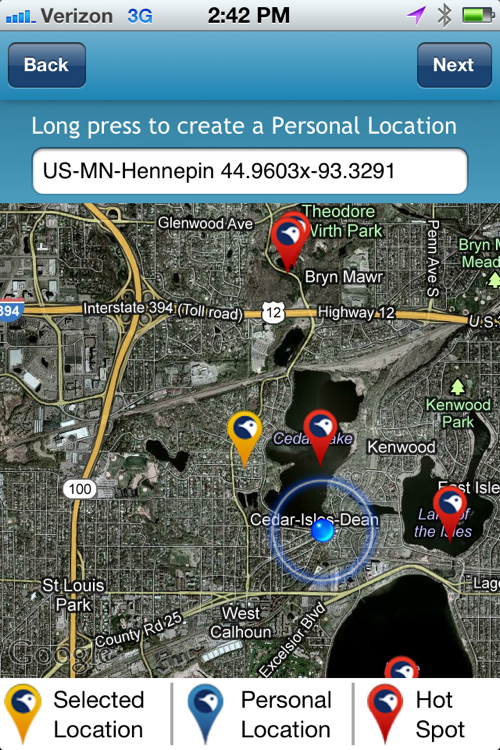
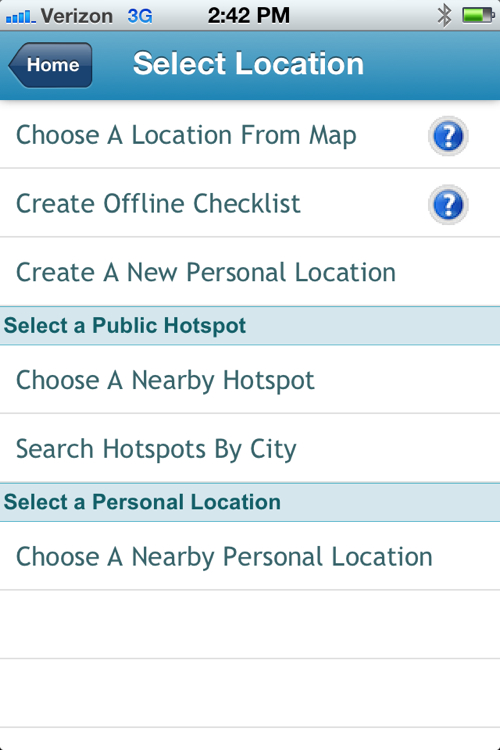
Let's say you are bike riding on a series of trails and there's a pond that particularly birdy but there's no known birding hot spot there. You can go into "Submit Sitings" and will tell you where you are and even let you know if you are near a birding hotspot. This is also handy if you in someplace like Nebraska and you're driving around and getting birds at various potholes.
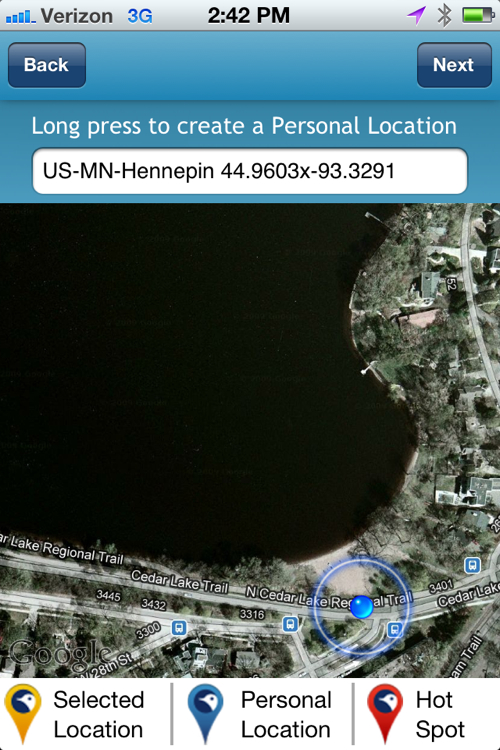
I personally don't like hunting down locations in eBird because you have to do it by county, rather than city or township and I think it's a pain the butt to figure out. This app does it for you.
It gives you a list of the most likely species.
It will keep track of how long you are birding in an area for you, so you can start it as soon as you hit the trail (alas, it doesn't keep track of how far you traveled, but there are other apps for that).
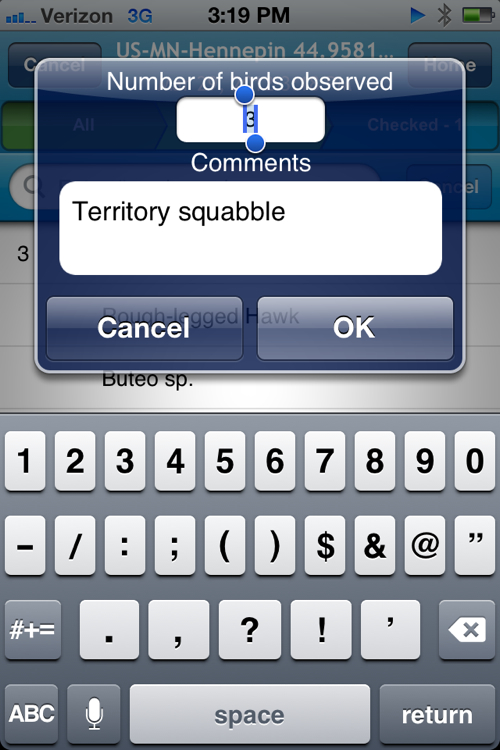
The app allows you to make notes, "Red-tailed territory display" or "nest nearby."
You can have more than one list going. I have two lakes that I do as a loop when I'm bike riding and I was able to have both lists going.
Cons of the BirdLog app:
It's separate from the original BirdsEye app.
Doesn't keep track of how far you travel on the trail.
Once you have closed out and submitted your list, it's difficult to go back in and correct it (you might as well do it at home on your computer). You can't edit the list from the app, it will take you into eBird via your phone's web browser and eBird is not set up to be viewed in a friendly way on a phone (at least not on my iPhone 4s).
When submitting sitings, it defaults to numbers, rather than letters, gently forcing you to count how many birds you are seeing. I tend for most species to enter in "x" because I don't want to count how many grackles, red-winged blackbirds or gulls I see on the trail. I think this is more my own personal issue. I so often have to count birds for work and when I'm watching birds for fun, my brain doesn't want to do it. You can still enter in "x" you just have to switch screens.
Best Uses:
Driving around on remote roads and you have no idea where you are. This is ideal for areas like Sax Zim Bog where you are mostly driving down the road and periodically stopping to find birds.
Keeping a running list of what you're seeing in the field.
I'm particularly looking forward to using this in birding programs with kids. I can let one of them keep the bird list and carry an iPad (a good hook for the kid who doesn't want to be in the woods in the first place).
I think this is a really cool app to use with kids at home. Why wait for the Great Backyard Bird Count or Project Feeder watch to notice birds? You could set up a day once a week and have your kids check off the birds in your backyard, you could even use it to keep track of what day you note when certain species arrive--like orioles or hummingbirds.
I worry some people think entering sitings to eBird is only for those who are hardcore birders and are out in the field, but backyard species are important too, especially as the globe's climate is changing and we will see more shifts in bird populations.
Here's an intro video that shows you how it works:
http://www.youtube.com/watch?v=PNliquYImFw&feature=youtu.be
Digiscoped Images
Fresh Tweets
Would you like to hire me as a speaker for your event?
Email sharon@birdchick.com